
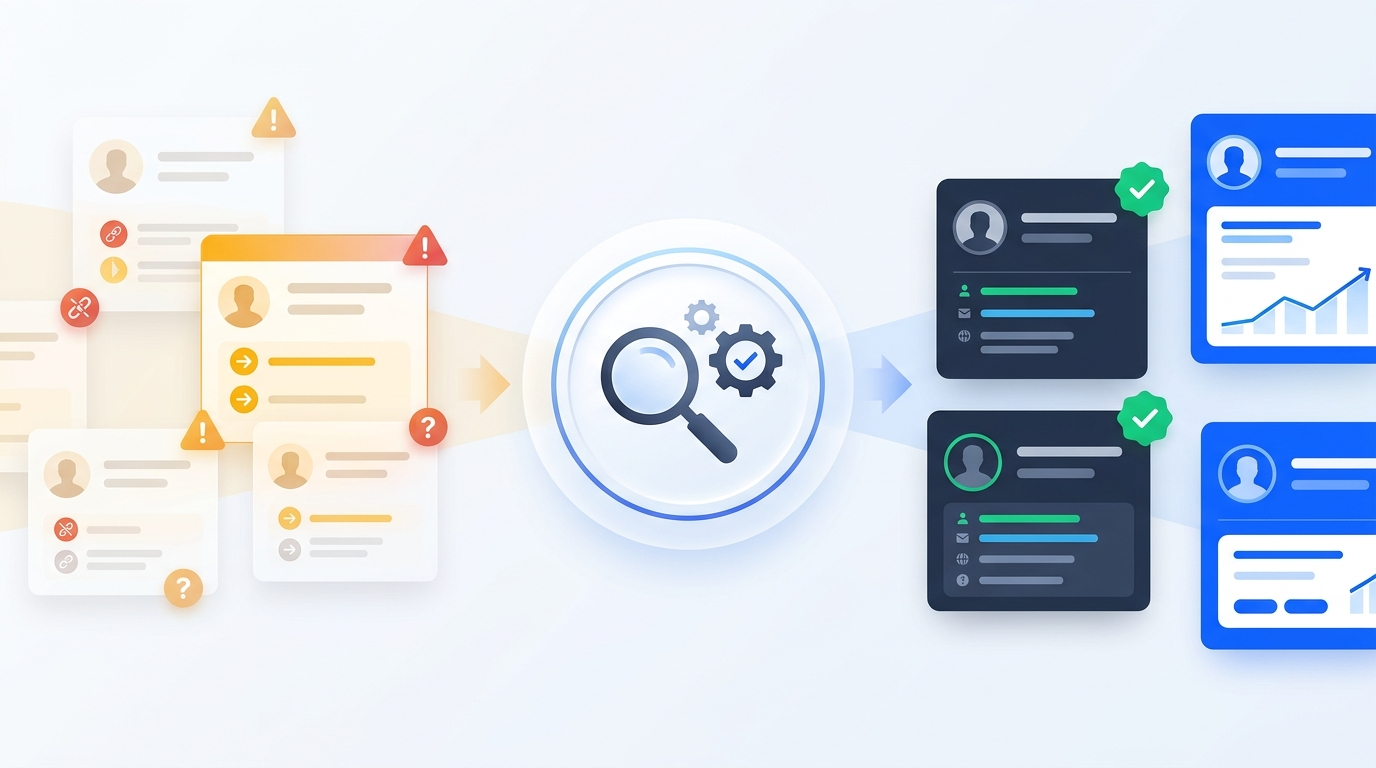
Your B2B database is aging even when nobody is using it. Companies invest substantial time, research budgets, and software subscriptions into building contact lists—yet the moment those records enter a CRM, they begin losing accuracy.
Professionals earn promotions, switch employers, or move across departments. Companies raise funding, expand headcount, rebrand, get acquired, or shut down regional offices. Phone extensions get reassigned and email domains migrate. None of those real-world changes automatically notify your CRM.
Over time, this silent erosion creates an expensive operational gap: sales representatives waste hours reaching out to people who no longer hold buying authority, marketing teams trigger campaigns to stale segments, duplicate and incomplete records clutter pipelines, and revenue teams gradually lose trust in the database they paid to build.
Most discussions about B2B data decay stop at email bounces. That misses the larger commercial problem. An email address can still be technically deliverable even when the buyer changed jobs four months ago or the company no longer fits your Ideal Customer Profile (ICP). Understanding—and preventing—B2B data decay starts with separating technical email validity from real-world contact accuracy.
What Is B2B Data Decay?
B2B data decay is the gradual deterioration of accuracy, completeness, and commercial relevance in business contact and company records over time.
Many teams assume a database only decays when emails bounce or phone lines disconnect. In practice, a contact database does not become outdated in just one way. A record can pass every automated email syntax and SMTP check and still be commercially useless for sales outreach or account-based marketing.
| Decay Type | What Changes | Real-World Example | Why Email Verification Misses It |
|---|---|---|---|
| Contact decay | A person's direct contact details change | Work email bounces or direct-dial phone number is disconnected | Caught by email verification, but disconnected phones and channel changes require research |
| Employment decay | A prospect changes employer, role, or seniority | A VP of Sales leaves for a new company or shifts to an advisory role | Catch-all or forwarded company addresses may still report as deliverable |
| Company decay | Business entity or brand structure shifts | Acquisition, merger, rebranding, closure, or headquarters relocation | Old domain redirects or aliases hide organizational changes |
| Firmographic decay | Core company attributes become inaccurate | Headcount grows from 45 to 220, revenue tier shifts, or primary industry evolves | SMTP checks validate inbox delivery, not company metrics |
| Relevance decay | The account no longer fits your target ICP | A company pivots product lines, drops a target tech stack, or moves upmarket | Deliverability tools cannot evaluate strategic buyer fit |
Central Distinction: Valid Email ≠ Accurate Contact Record
Email verification and B2B data enrichment solve two completely different problems. Verification tells you whether an inbox accepts mail today. Enrichment and manual research confirm whether that person still works at the company, still holds decision-making authority, and still matches your Ideal Customer Profile.
Why Does B2B Contact Data Become Outdated?
Database degradation is not caused by a single event. It comes from continuous movement across people, organizations, communication channels, and internal CRM workflows.
Job Changes and Employee Turnover
People move between roles constantly—through promotions, lateral department transfers, layoffs, leadership transitions, and voluntary career moves. In mid-market and enterprise sales, a contact's title and reporting line dictate whether your pitch is relevant. When a champion leaves, your outreach either lands with someone in an unrelated role or hits a silent forwarding inbox.
Company Restructuring and Acquisitions
Even when individuals stay in place, the companies around them evolve. Mergers, acquisitions, spin-offs, rebrands, office closures, and regional consolidations alter domain names, buying committees, and corporate hierarchies. A single acquisition can turn dozens of once-clean CRM accounts into mismatched subsidiaries overnight.
Outdated Contact Information
Corporate domain migrations (such as switching from .io to .com or consolidating regional domains after a merger), remote-work phone transitions, reassigned direct dials, and updated email naming formats quickly break legacy contact records.
Changing Company Information
Fast-growing companies rarely stay in the same firmographic bracket for long. Headcount expansions, new funding rounds, tech-stack replacements, and product pivots can push an account into—or completely out of—your target segment.
Poor Data Collection and Management
Not all decay happens after entry; some is baked in from day one. Importing unstandardized spreadsheets, skipping field normalization, failing to merge duplicates, and storing contacts without verification timestamps accelerate CRM clutter. Over months of ad-hoc CSV uploads, reps end up with conflicting records for the same buyer.
How B2B Data Decay Affects Sales and Marketing
Outdated CRM data does not stay isolated inside a database—it spreads operational drag across every revenue-generating function.
- Wasted outbound selling time: SDRs and account executives spend prospecting hours researching, personalizing, and following up with contacts who no longer hold the target role.
- Misdirected marketing spend: Paid retargeting, nurture sequences, and event invitations target accounts that closed, merged, or moved outside your ICP.
- Damaged sender reputation: Elevated hard bounce rates from stale addresses trigger spam filters and erode inbox placement even for clean segments.
- Duplicate and fragmented CRM records: Multiple records for the same person split activity history, skew attribution reporting, and create awkward overlapping outreach from different reps.
- Declining team trust in CRM data: Once sales reps encounter bad titles or disconnected numbers repeatedly, they stop trusting CRM lists and revert to manual one-off prospecting.
How Fast Does B2B Contact Data Decay?
If you search for B2B data decay statistics online, you will encounter the same headline claims—most commonly 22.5% or 30% annual decay—repeated across hundreds of blog posts without original methodology. Publishing unverified figures in an article about data accuracy misses the point.
Instead of treating generic percentages as universal constants, it helps to look at transparent primary research alongside official labor-market data—and clearly distinguish what each dataset actually measures.
Share of 140,284 measured US sales leaders (VP & C-suite) who changed roles over 12 months (~1% per month). Measures employment transitions specifically.
Cumulative role changes in the same US leadership cohort over two years—showing how quickly stale lists compound when left unrefreshed.
Official U.S. median tenure with a current employer in Jan 2026 (3.0 years among workers aged 25–34). Provides workforce churn context rather than direct email decay.
Methodological Note on the Famous 22.5% Statistic
An investigation by Forage AI into commonly cited B2B decay statistics found that the popular 22.5% annual figure—frequently attributed to MarketingSherpa via HubSpot—cannot be traced easily to a documented primary methodology. Moreover, different cohorts decay at very different speeds: early-career roles churn faster than senior executives, and high-growth SaaS markets shift faster than established industrial verticals. Measuring your own CRM bounce, job-change, and duplicate rates is far more reliable than guessing from a generic benchmark.
How to Identify Outdated Information in Your CRM
Before cleaning or enriching a database, revenue teams need an operational way to spot decay across existing records. A structured CRM audit looks beyond bounce logs to evaluate record completeness, freshness, and commercial alignment.
- Monitor bounce and auto-responder signals: Track hard bounces alongside soft-bounce replies such as 'no longer with the company' or 'please contact my colleague'—these directly flag employment decay.
- Inspect core CRM fields for gaps and age: Audit job_title, company_domain, work_email, direct_phone, employee_headcount, and last_verified_date. Any high-value contact untouched for 6–12 months deserves review.
- Detect duplicate keys and domain mismatches: Look for identical LinkedIn URLs attached to two email addresses, personal webmail domains mixed into B2B segments, or legacy brand domains redirecting to acquiring companies.
- Watch engagement and conversion anomalies: Sudden drops in reply rates on proven messaging, rising unsubscribes from irrelevant personas, or reps frequently marking leads 'Wrong Role' point directly to data quality issues.
How to Maintain an Accurate B2B Contact Database
The biggest shift in modern contact data management is treating accuracy as a continuous cycle rather than a one-time pre-launch check. Verification before sending a single campaign helps avoid immediate bounces, but only an ongoing maintenance workflow keeps your CRM commercially accurate.
Existing B2B Database
Baseline CRM contacts, legacy lists, and previously collected prospect records.
Data Quality Audit
Flag missing fields, duplicate entries, stale timestamps, and non-ICP accounts.
Contact Research
Verify current job titles, employers, LinkedIn profiles, and buying authority.
Company Research
Confirm active domains, M&A changes, headcount ranges, and industry classification.
Enrichment & Verification
Append updated emails and dials, then run real-time verification before outreach.
Outreach-Ready CRM
Clean, deduplicated, segmented records ready for high-confidence sales execution.
Conduct Regular Database Audits
Schedule structured quarterly or semi-annual reviews of your CRM segments. Export a sample or full segment cohort, isolate incomplete fields, check date stamps on last verification, and quarantine dormant records that have shown zero engagement or updates over 12+ months.
Track Job and Company Changes
Employment decay is best handled through active profile checks. Reviewing key prospects against LinkedIn profiles and official company leadership pages catches promotions, departures, and role changes—turning lost contacts into warm champion alerts at their new companies.
Use Data Enrichment Strategically
Data cleansing removes broken, duplicate, and irrelevant records; B2B data enrichment fills in what is missing or outdated. Use targeted enrichment to update changed job titles, refresh company headcount and revenue bands, append verified direct lines, and replace departing decision-makers with their current successors.
Verify Business Email Addresses
Before any list enters an outbound sequence, run every address through multi-stage email verification to isolate invalid mailboxes, disposable domains, and risky catch-all servers. Combining automated SMTP validation with targeted human checks helps keep hard bounce rates below 2% and protects sender deliverability.
Remove Duplicate and Irrelevant Records
Following platform data governance best practices—such as Salesforce database hygiene workflows and HubSpot CRM data governance standards—standardize naming conventions, merge duplicate contact and account records using unique identifiers like domain and LinkedIn URL, and archive companies that no longer meet your ICP.
How Often Should You Refresh Your B2B Database?
Not every segment in your CRM carries the same urgency or outreach risk. Rather than refreshing every record on the exact same schedule, align your maintenance cadence with campaign velocity and deal value.
| Database Segment | Recommended Cadence | Primary Maintenance Checks |
|---|---|---|
| Active Outbound Sequences | Immediately prior to launch | Email verification, current title confirmation, and duplicate suppression against active deals |
| High-Value ABM Target Accounts | Every 60–90 days | Manual decision-maker validation, org-chart updates, M&A/domain checks, and buying signals |
| Marketing & Nurture Lists | Quarterly | Hard-bounce purge, catch-all review, segmentation tag normalization, and unsubscribe sync |
| Full CRM Hygiene Audit | Every 6 months | Cross-object deduplication, firmographic updates, stale-record archiving, and ICP re-scoring |
Manual Research vs. Automated Data Refresh
Many revenue teams rely exclusively on automated CRM connectors to refresh records in the background. Automation brings clear speed and scale, especially for bulk email syntax checks and basic firmographic lookups—but automated tools struggle with nuance.
Algorithms often miss recent role transitions that have not propagated across third-party aggregators, misclassify niche industries (for instance, labeling every consulting firm as software), or overwrite valid custom tags with generic database labels. A hybrid workflow—pairing automation for scale with human verification for accuracy—gives teams the best of both worlds.
| Evaluation Factor | Automated Refresh Only | Human-Verified Hybrid Refresh |
|---|---|---|
| Speed on massive lists | Very fast for bulk lookups | Structured batches tuned to campaign timelines |
| Employment & title accuracy | Lags behind recent LinkedIn or site updates | Verified directly against live public profiles |
| Industry & ICP nuance | Broad tags often misclassify niche companies | Manually qualified against actual websites and offerings |
| Duplicate & M&A handling | Prone to domain/alias blind spots | Clean parent-subsidiary and domain resolution |
| Best fit | Initial bulk triage and basic syntax validation | Active outbound lists, ABM accounts, and high-value CRM cleaning |
How GYP Helps Businesses Maintain Accurate B2B Data
At Get Your Prospect, we built our workflows specifically around the gap between automated speed and human accuracy. Whether your team is launching a fresh outbound campaign or rescuing a CRM full of aging contacts, our researchers combine intelligence tools, Bouncely email verification, and manual profile validation to keep your database outreach-ready.
Explore our dedicated data maintenance and list-building services below:
Identify stale contacts, detect job changers, merge duplicates, and schedule ongoing refresh cycles.
Deep web research and Bouncely validation backing a <2% bounce rate guarantee.
Fresh, custom-researched decision-maker lists built strictly around your ICP.
Multi-contact account coverage, org-chart mapping, and updated firmographics for target accounts.
Frequently Asked Questions (FAQs)
Answers to common questions from B2B sales, marketing, and revenue operations teams dealing with database decay:
What is B2B data decay?
B2B data decay is the gradual loss of accuracy, completeness, and commercial relevance in business contact and company records as people change jobs, companies restructure, contact details shift, and firmographic attributes evolve.
How quickly does B2B contact data become outdated?
Decay speed depends on role seniority, industry turnover, and company growth stage. For example, Lusha's September 2026 study of 140,284 US sales leaders measured a 12.25% role-change rate over 12 months and 25.67% over 24 months. Because employment changes, domain shifts, and firmographic drift compound over time, databases require periodic auditing rather than one-off checks.
What causes contact database decay?
Five primary drivers cause decay: contact decay (changed emails or phones), employment decay (job changes and promotions), company decay (mergers, acquisitions, closures, or rebrands), firmographic decay (headcount, revenue, or industry shifts), and relevance decay (accounts drifting outside your ICP).
How often should businesses clean their CRM?
Verify active outbound lists immediately before launching sequences, refresh high-value ABM target accounts every 60–90 days, audit marketing nurture lists quarterly, and run a comprehensive CRM hygiene and deduplication audit at least twice a year.
Can email verification prevent B2B data decay?
No. Email verification confirms whether a mailbox can accept mail right now, protecting against hard bounces. However, it cannot tell you if a prospect switched departments, lost buying authority, or if the company was acquired—which requires data enrichment and manual research.
What is the difference between CRM cleaning and data enrichment?
CRM cleaning identifies and fixes errors inside existing records—removing hard bounces, normalizing formatting, archiving irrelevant leads, and merging duplicates. Data enrichment updates stale attributes and fills in missing information such as new decision-maker titles, direct emails, phone numbers, and updated firmographics.
How can businesses identify contacts who have changed jobs?
Combine automated bounce and auto-responder tracking with periodic manual checks against LinkedIn profiles and company leadership pages—especially across your highest-priority accounts and previously engaged prospects.
Research Sources and Further Reading
Primary research, labor statistics, and platform data hygiene documentation referenced in this guide:
Primary cohort analysis of 140,284 US sales leaders measuring 12-month and 24-month role changes.
Official federal employee tenure report (released September 24, 2026).
Secondary audit examining the origins and attribution gaps behind the 22.5% decay figure.
Platform guidance on managing bounces, stale prospects, and CRM hygiene.
Frameworks for deduplication, governance ownership, and long-term data quality.
Final takeaway
Treat your B2B database as an ongoing revenue asset rather than a static spreadsheet. Email verification protects deliverability today, but continuous auditing, human-verified research, and structured enrichment are what keep your sales and marketing teams connected to the right decision-makers month after month.